> ## Documentation Index
> Fetch the complete documentation index at: https://docs.shopkits.co/llms.txt
> Use this file to discover all available pages before exploring further.
# 蝦皮台灣
> 蝦皮賣家中心批次出貨頁操作指南:7-ELEVEN、全家、店到店等物流的寄件單與裝箱單批次列印。
[← 返回快速開始](/shipment-print/guide)
## 支援頁面
出貨印單助手在蝦皮賣家中心以下頁面啟用:
* **批次出貨頁**:`https://seller.shopee.tw/portal/sale/mass/ship` — 勾選訂單後可批次列印或下載
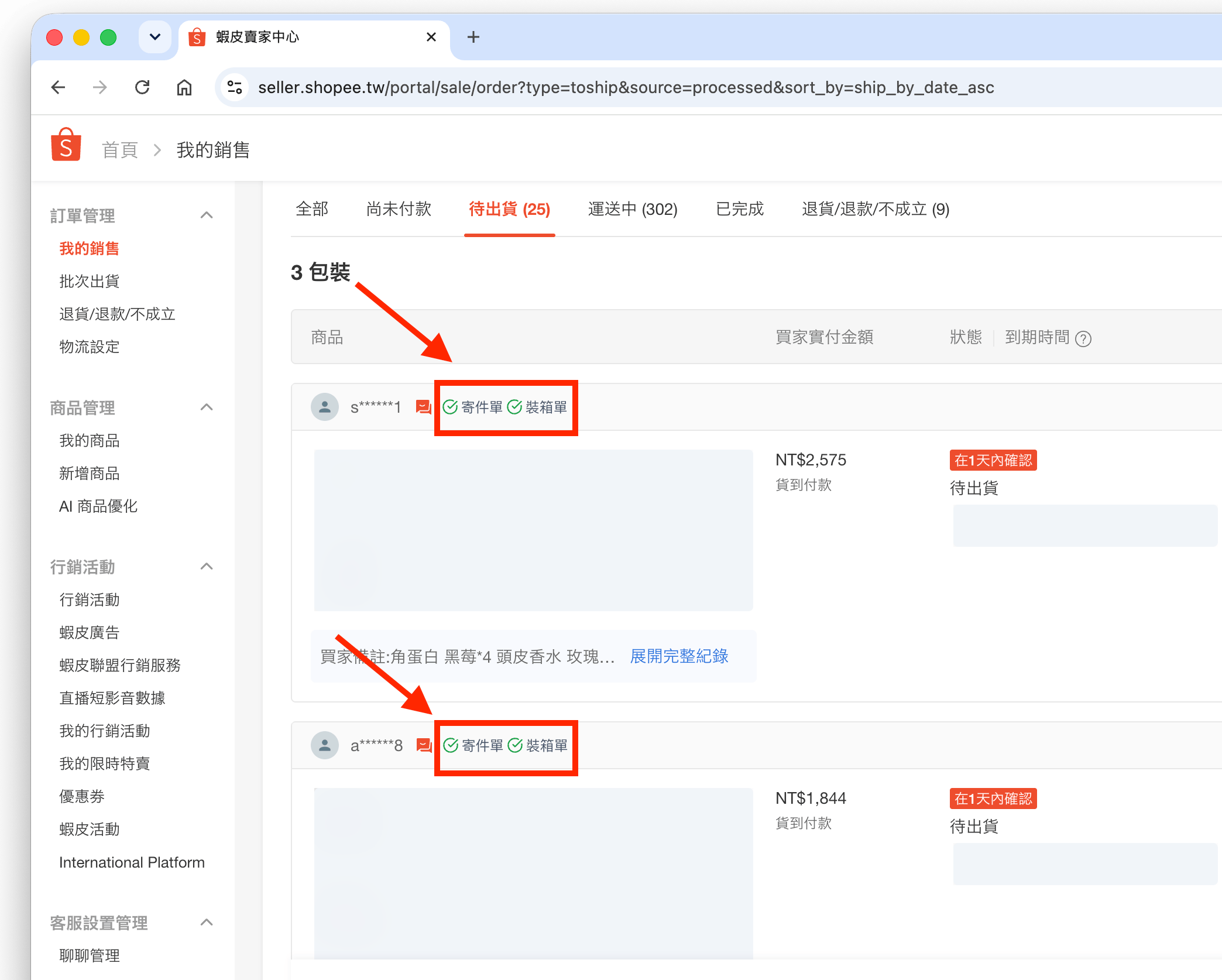
* **我的銷售(待出貨)**:`https://seller.shopee.tw/portal/sale/order` — 僅顯示下載狀態標記,不支援在此頁列印
批次出貨頁需位於「待出貨」分頁,且物流方式為支援的管道,側邊面板才會啟用。若目前頁面不支援,系統將顯示提示資訊。
## 訂單選取
在批次出貨頁勾選訂單後,側邊面板會即時同步已選取的訂單清單。
**安裝提示**:在完成擴充功能安裝或更新後,若您是**第一次開啟**側邊面板,請務必先**重新整理**一次賣家中心的訂單頁面,以確保訂單同步機制正常運作。
## 模板模式
在支援的批次出貨頁,可切換以下模板模式:
* **寄件單**
* **裝箱單**
* **寄件單 + 裝箱單**
## 支援物流
目前支援以下物流管道:
* 蝦皮店到店 - 隔日到貨
* 蝦皮店到店
* 店到家宅配
* 新竹物流 (HCT)
* 7-ELEVEN
* 全家 (FamilyMart) / 全家冷凍
* 萊爾富經濟包
## 實用功能
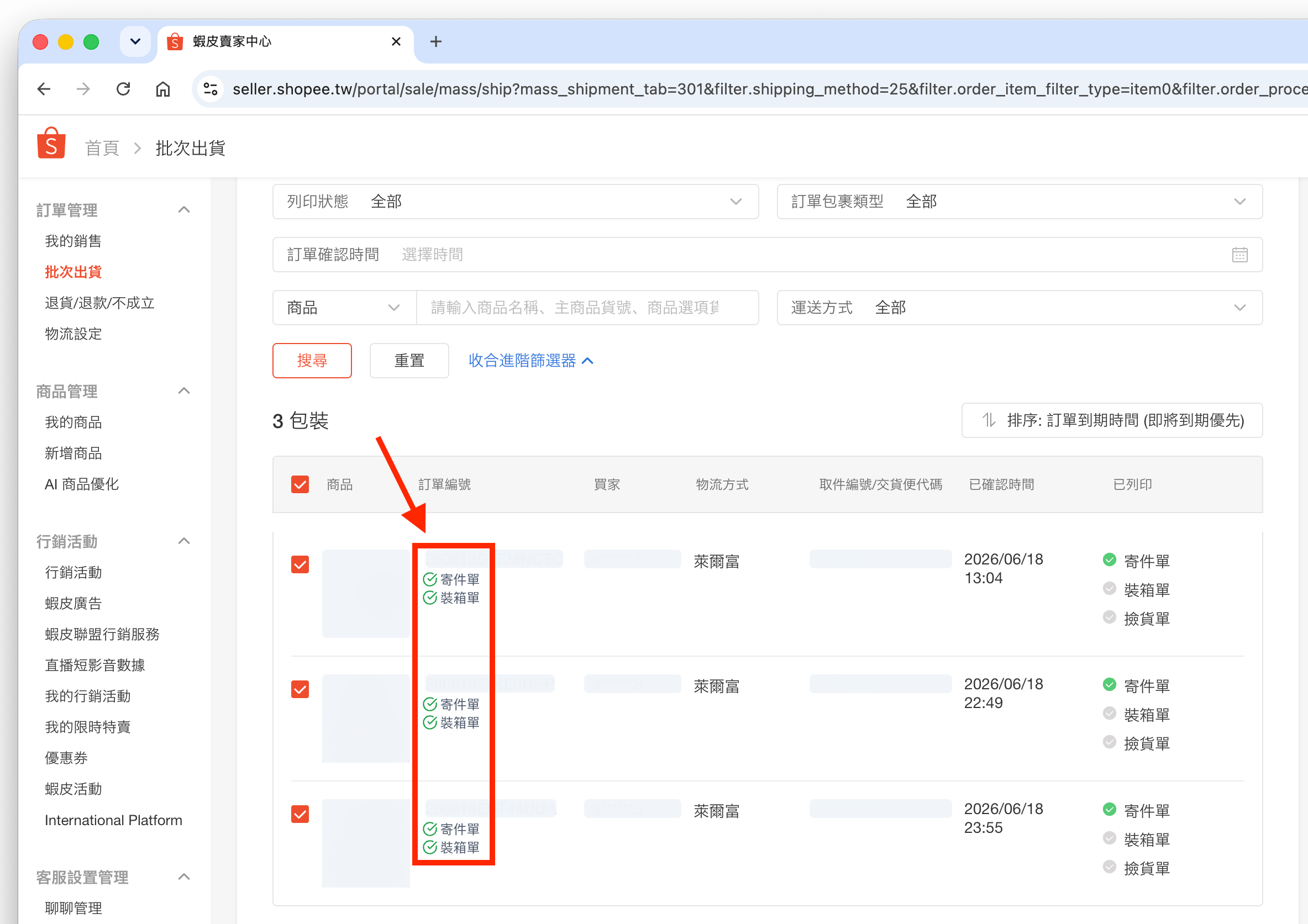
* **下載狀態標記**:完成下載後,訂單編號旁會標示寄件單或裝箱單是否已處理;在「我的銷售」頁面亦可查看相同標記
 ## 關於「正在偵錯此分頁」提示
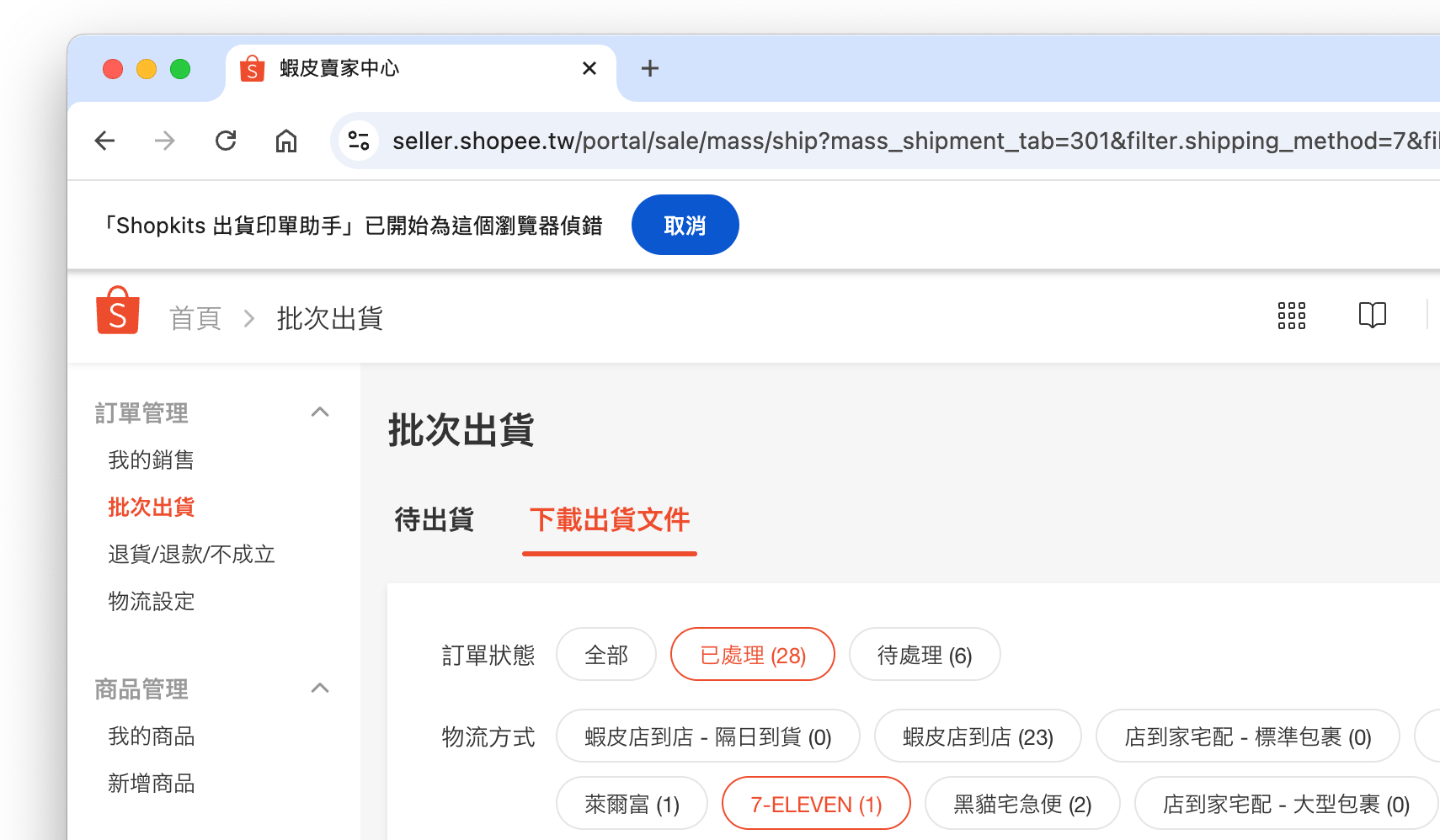
當您下載 **7-ELEVEN** 或 **全家 (FamilyMart)** 的寄件單時,瀏覽器頂部可能會短暫出現「Shopkits 出貨印單助手正在偵錯此瀏覽器」的黃色提示橫幅,屬於正常處理程序,完成後會自動消失。
**為什麼會出現這個提示?**
由於超商物流標籤的特殊格式限制,為了提供最清晰的 PDF 列印品質,擴充功能在轉換 7-ELEVEN 與全家單據時,需啟用瀏覽器的內建轉檔機制。此機制會短暫觸發該系統提示橫幅,不影響您的資安與隱私,請放心使用。
## 關於「正在偵錯此分頁」提示
當您下載 **7-ELEVEN** 或 **全家 (FamilyMart)** 的寄件單時,瀏覽器頂部可能會短暫出現「Shopkits 出貨印單助手正在偵錯此瀏覽器」的黃色提示橫幅,屬於正常處理程序,完成後會自動消失。
**為什麼會出現這個提示?**
由於超商物流標籤的特殊格式限制,為了提供最清晰的 PDF 列印品質,擴充功能在轉換 7-ELEVEN 與全家單據時,需啟用瀏覽器的內建轉檔機制。此機制會短暫觸發該系統提示橫幅,不影響您的資安與隱私,請放心使用。