> ## Documentation Index
> Fetch the complete documentation index at: https://docs.shopkits.co/llms.txt
> Use this file to discover all available pages before exploring further.

# SHOPLINE

> SHOPLINE 賣家後台訂單列表操作指南：7-ELEVEN 與全家店到店標籤、裝箱單批次列印與下載。

[← 返回快速開始](/shipment-print/guide)

<Frame caption="在 SHOPLINE 訂單列表批次印單">
  <video controls muted autoPlay loop className="w-full aspect-video rounded-xl" src="https://asset.shopkits.co/v/shopline-print.mp4" />
</Frame>

## 支援頁面

出貨印單助手在 SHOPLINE 賣家後台的**訂單列表頁**啟用。

## 訂單選取

在訂單列表頁勾選訂單後，側邊面板會即時同步已選取的訂單清單。

<Tip>
  **安裝提示**：在完成擴充功能安裝或更新後，若您是**第一次開啟**側邊面板，請務必先**重新整理**一次賣家中心的訂單頁面，以確保訂單同步機制正常運作。
</Tip>

## 模板模式

| 訂單列表            | 篩選狀態 | 可用模板              |
| :-------------- | :--- | :---------------- |
| 全部訂單、其他物流       | —    | 裝箱單               |
| 7-ELEVEN 或全家店到店 | 可供出貨 | 寄件單、裝箱單、寄件單 + 裝箱單 |

<Tip>
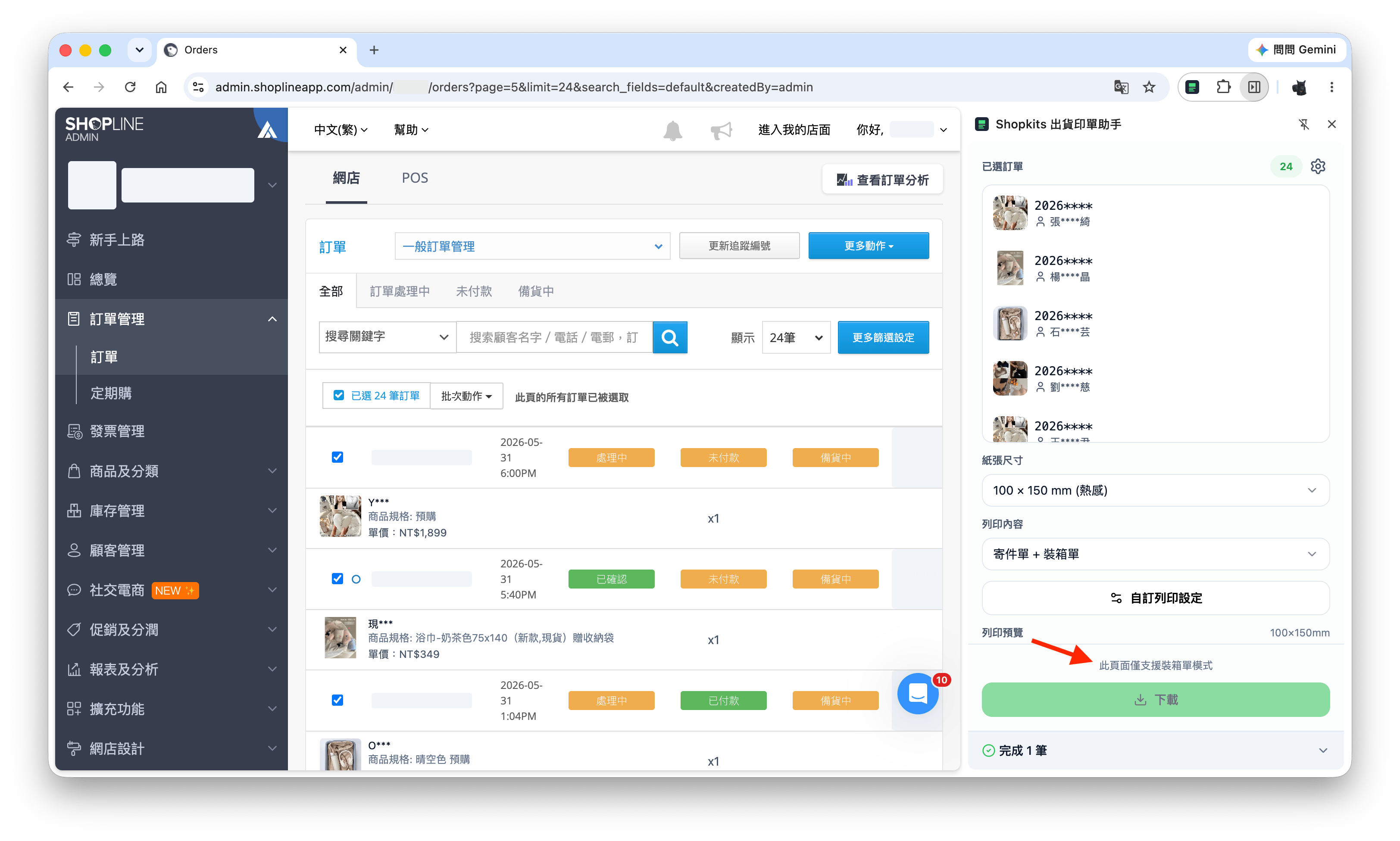
  若目前頁面無法列印寄件單，側邊面板會提示「此頁面僅支援裝箱單模式」，您仍可批次產生裝箱單。
</Tip>

<Frame caption="若目前頁面無法列印寄件單，側邊面板會顯示提示">
  <img src="https://mintcdn.com/ryto/o7AvGnVdsdjCGFGw/images/print/shopline-slip-only.png?fit=max&auto=format&n=o7AvGnVdsdjCGFGw&q=85&s=873539ea06a9f4432eae4b1ac8c38960" alt="僅支援裝箱單模式提示" width="3248" height="1952" data-path="images/print/shopline-slip-only.png" />
</Frame>

## 支援物流

* 7-ELEVEN 店到店
* 全家店到店

## 實用功能

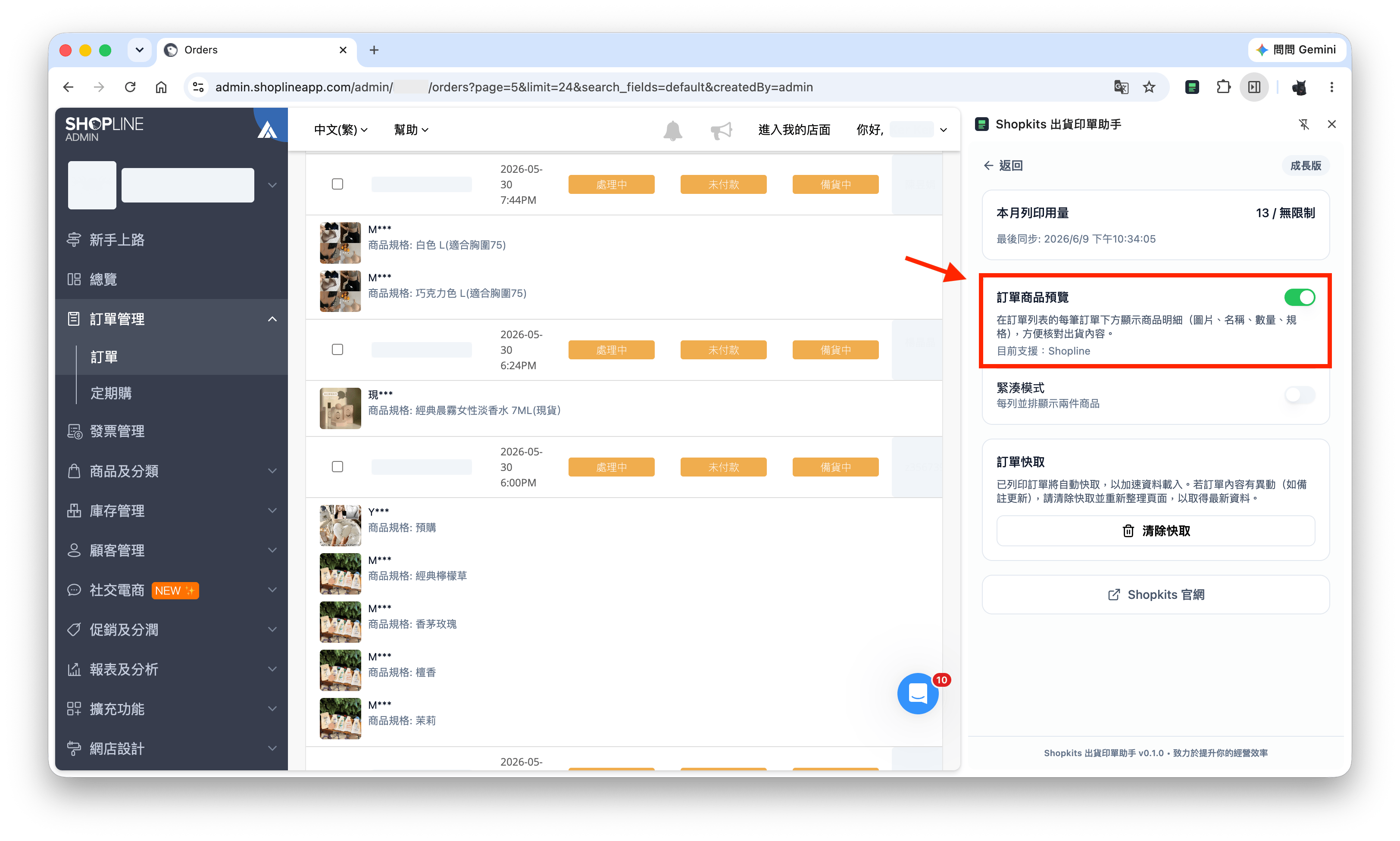
* **訂單商品預覽**：於側邊面板「用量」頁開啟，可在訂單列表每筆訂單下方預覽商品明細，方便核對出貨內容
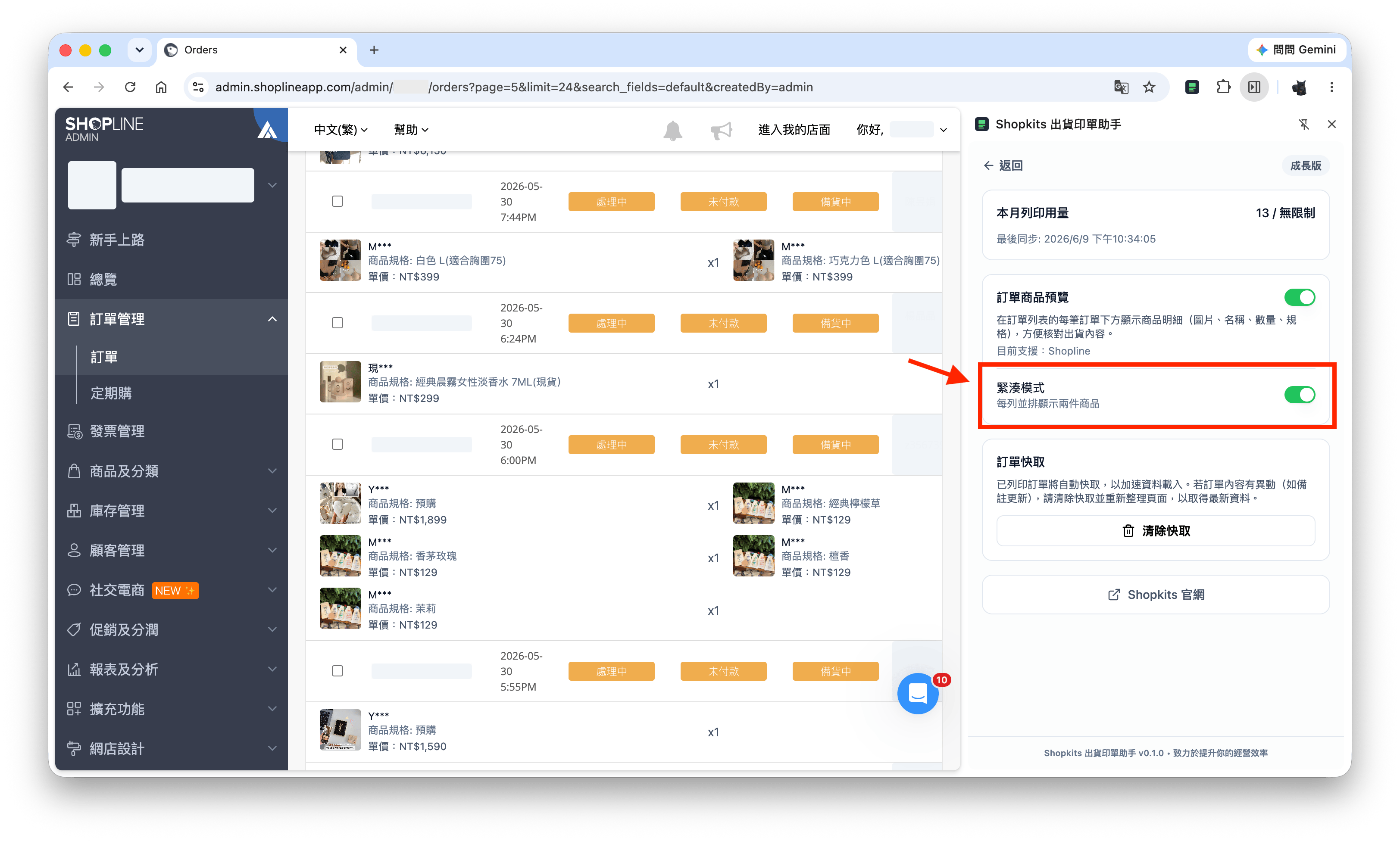
* **緊湊模式**：商品預覽開啟後，可切換為每列並排顯示兩件商品
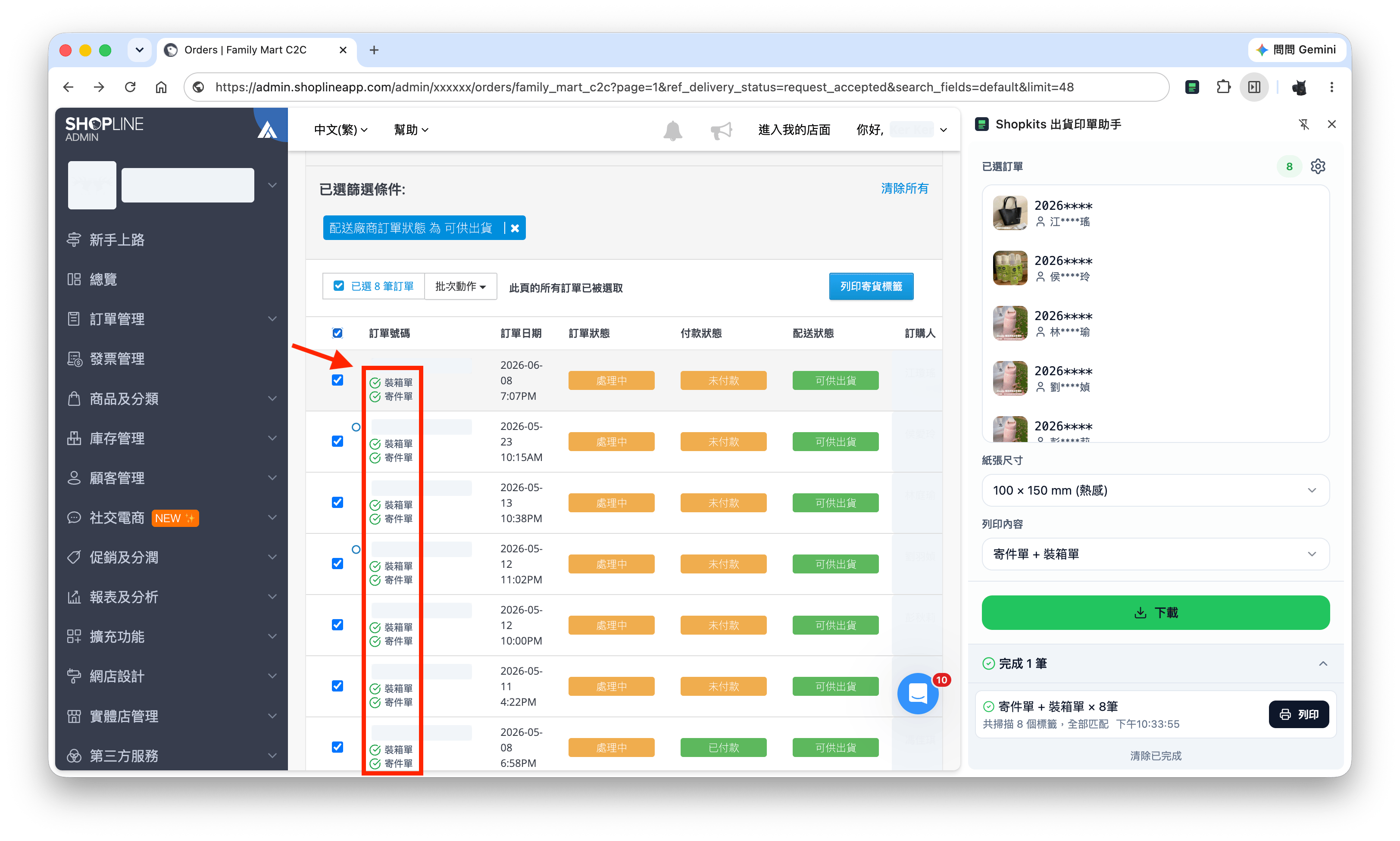
* **下載狀態標記**：完成下載後，訂單編號旁會標示寄件單或裝箱單是否已處理

<Frame caption="在側邊面板「用量」頁開啟訂單商品預覽">
  <img src="https://mintcdn.com/ryto/o7AvGnVdsdjCGFGw/images/print/shopline-preview.png?fit=max&auto=format&n=o7AvGnVdsdjCGFGw&q=85&s=a494553f883a5eece31b95c6a9162bfa" alt="訂單商品預覽" width="3248" height="1952" data-path="images/print/shopline-preview.png" />
</Frame>

<Frame caption="開啟緊湊模式後，每列並排顯示兩件商品">
  <img src="https://mintcdn.com/ryto/o7AvGnVdsdjCGFGw/images/print/shopline-preview-compact-mode.png?fit=max&auto=format&n=o7AvGnVdsdjCGFGw&q=85&s=80c1eb60633ec7d4125e43299992f511" alt="訂單商品預覽緊湊模式" width="3248" height="1952" data-path="images/print/shopline-preview-compact-mode.png" />
</Frame>

<Frame caption="完成下載後，訂單編號下方會標示寄件單或裝箱單是否已處理">
  <img src="https://mintcdn.com/ryto/o7AvGnVdsdjCGFGw/images/print/shopline-print-record.png?fit=max&auto=format&n=o7AvGnVdsdjCGFGw&q=85&s=b66603f74056cc85b2aadd0bf536be45" alt="下載狀態標記" width="3248" height="1952" data-path="images/print/shopline-print-record.png" />
</Frame>

## 關於「正在偵錯此分頁」提示

下載 **7-ELEVEN 店到店** 寄件單時，瀏覽器頂部可能會短暫出現「Shopkits 出貨印單助手正在偵錯此瀏覽器」的黃色提示橫幅，屬於正常處理程序，完成後會自動消失。